


Do I need coding skills to build automations?
No. OmniFlow's automation engine is built for sales and marketing teams. You can construct campaigns using a simple visual interface to select triggers, choose wait delays, and pick message templates.

Loading...
Automate lead follow-ups, trigger multi-channel drip campaigns, and scale outreach without manual tasks. Connect WhatsApp, email, SMS, and AI calling in one workflow engine.
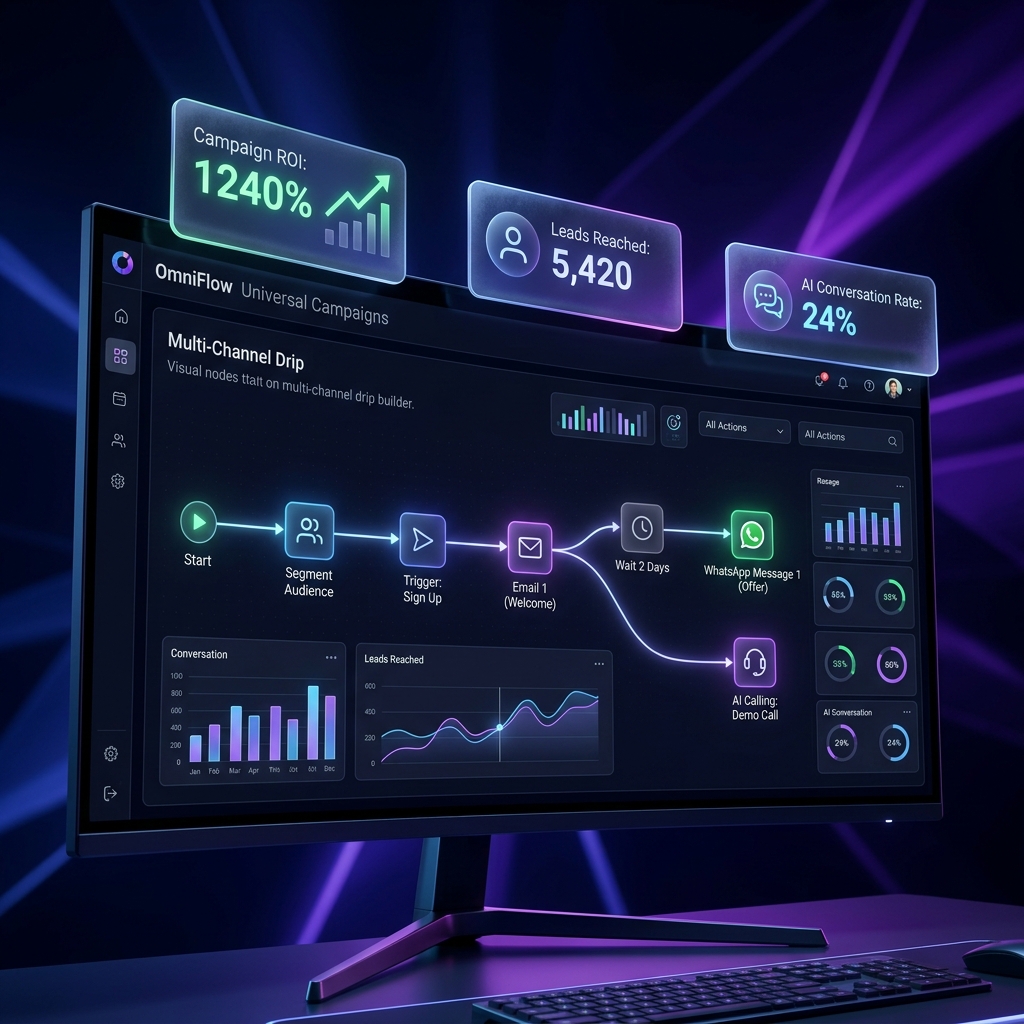
Marketing automation is the use of software to trigger, execute, and track marketing tasks and campaigns automatically. Rather than sending individual follow-ups or broadcasts manually, businesses use marketing automation to set up trigger-action rules (e.g., 'When a lead captures on a digital card, wait 5 minutes, then send a WhatsApp message'). Advanced systems like OmniFlow coordinate these rules across multiple channels—including WhatsApp, email, SMS, and voice AI—while syncing prospect behaviors with a central sales CRM.
OmniFlow connects lead scoring, drip outreach, and client support SLA rules into one visual workflow planner, keeping your team focused on closing rather than data handling.
Connect customer behavior triggers to automated message actions across all platforms.
Set rules based on customer behavior: card scans, form inputs, booking check-ins, or pipeline changes.
Coordinate campaign steps. Send a WhatsApp message on day 1, an email on day 3, and schedule a call reminder on day 5.
Populate template variables (client name, booking time, invoice amounts) dynamically to maintain high engagement.
Add timed delays or condition checks. Wait for specific days or stop sequences automatically if a lead replies.
Escalate deals that go cold. Trigger team notifications or auto-assign owners if a lead isn't contacted.
Test template variations, monitor campaign performance metrics, and review execution logs for every prospect.
See how outbound teams, client onboarding, and retention desks run automated drip sequences.
Prospects extracted via Google Maps finder are left uncontacted, or cold email campaigns are not followed up.
Load prospects into automated drip flows that send emails, WhatsApp templates, and check-in calls over 10 days.
Google Maps lead sync, multi-channel drip templates, automatic reply stop
Boost response rates by 250% by maintaining consistent, multi-channel touchpoints.
New users register but get confused by the features and drop off before verifying value.
Trigger automated onboarding drips on WhatsApp and email with feature guides and short video walk-throughs.
Signup triggers, scheduled wait delays, rich media templates
Increase product activation rates by 40% with automated, guided onboarding.
Existing customer lists are ignored, losing potential repeat appointments or service contracts.
Set up dynamic rules to trigger discount campaigns automatically to clients with zero activity in 60 days.
Activity triggers, WhatsApp broadcasts, custom payment links
Secure 15% return bookings from cold customer databases on autopilot.
Compare OmniFlow's built-in automation suite with disjointed subscription sync platforms.
| Business Need | Separate Industry Tools | OmniFlow Platform |
|---|---|---|
| Multi-Channel Coordination | Separate builders like ActiveCampaign (Rs. 4,500+/mo) | Natively included in OmniFlow |
| Database Integrations | Zapier or Make setups required (extra costs) | Natively synced with CRM pipelines |
| WhatsApp API Triggers | Complex webhooks and connector configurations | Direct selection of approved templates |
| Usage-based Pricing | Tiered pricing scales fast with contact volume | Flat rate per active user seat |
| Support SLA Alerts | Separate internal team alert apps | Trigger alert tickets in same timeline |
Frequently asked questions about setting triggers, delays, and channel fallbacks.
No. OmniFlow's automation engine is built for sales and marketing teams. You can construct campaigns using a simple visual interface to select triggers, choose wait delays, and pick message templates.
Yes! This is a critical best practice. You can configure campaigns to stop automatically as soon as the lead replies to a WhatsApp message, opens an email, or books an appointment.
You can combine WhatsApp Web, official WhatsApp API templates, SMTP email drips, local SMS channels, and outbound voice AI calls (Bland/Vapi) into a single campaign flow.
Triggers are events that start a workflow. Common triggers in OmniFlow include: 'New Lead Captured', 'Form Submitted', 'Appointment Booked', 'Deal Moved Stage', or 'Task Overdue'.
No. OmniFlow paid plans (Starter, Pro Agency, and Enterprise) allow you to build unlimited automation workflows and campaigns, with execution capacity scaled to your active database seats.
Yes. You can trigger automated sequences when an invoice is generated. OmniFlow will send the UPI payment link via WhatsApp and email, and send automated polite follow-ups until the invoice status updates to Paid.
Start free with the digital business card and CRM. Upgrade when you are ready to scale with WhatsApp broadcasts, campaign automation, team workspaces, or white-label reseller support.
Loading Plans...
Need a custom plan? Contact sales for enterprise-grade features and custom user, card, or client limits.
Stop wasting hours on manual copy-pasting and follow-ups. Build your first automated drip campaign and let OmniFlow close leads for you.